Importing Math Sample Syllabus from Canvas Commons

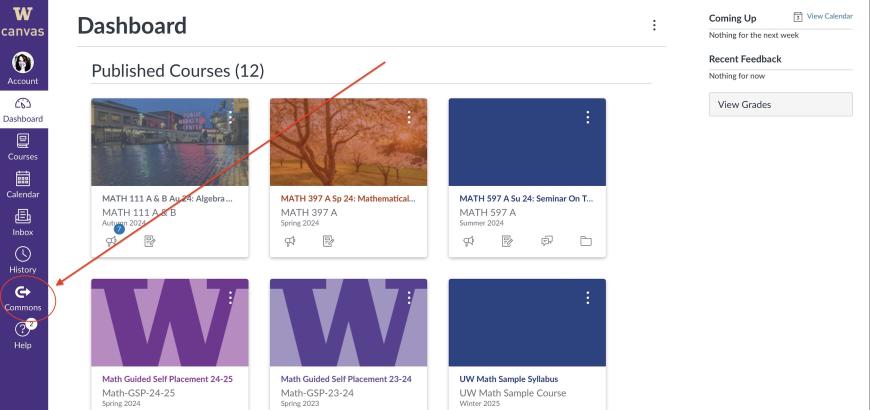
Canvas Dashboard with Canvas Commons link highlighted
Go to Canvas Commons.
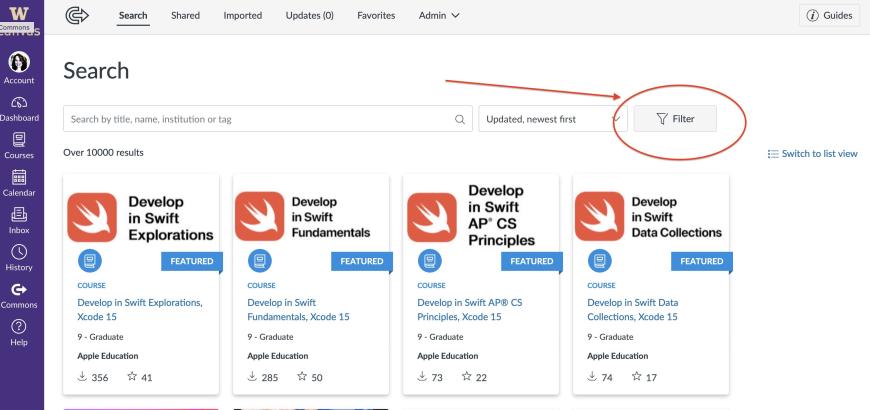
Canvas Commons home page with Filter button highlighted.
Choose to Filter your search.
Filter options with UW Math highlighted.
Select UW Math.
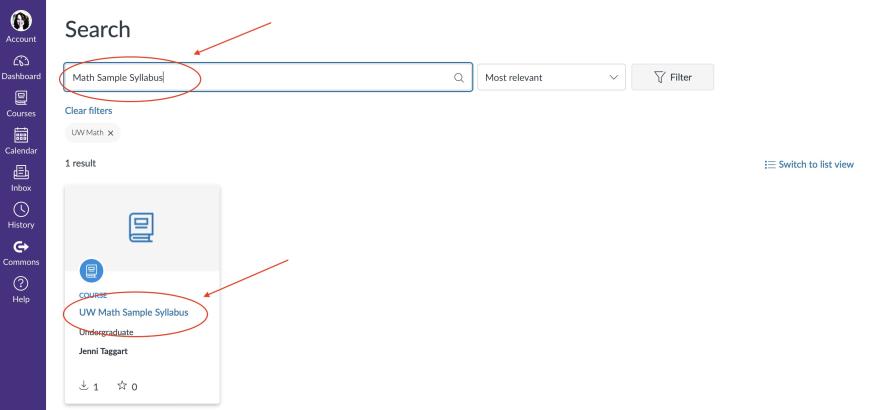
Canvas Commons filtered results with search bar and Math Sample Syllabus course highlighted
Browse or search for Math Sample Syllabus and click on course.
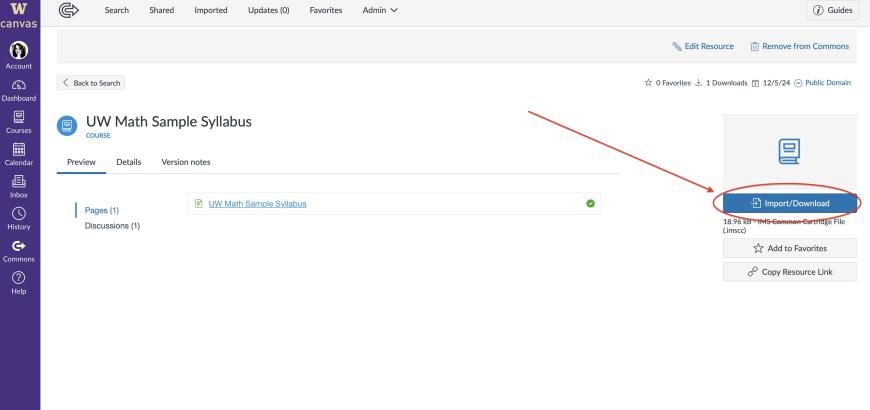
UW Math Sample Syllabus page with Import/Download button highlighted.
Import the course.

Importing Math Sample Syllabus (or anything else) from Canvas Commons

  1. From your Canvas Dashboard, go to Canvas Commons.
  2. Filter search.
  3. Select UW Math from Shared With options.
  4. Search or browse for UW Math Sample Syllabus and select course.
  5. Select Import/Download.

Select course(s) into which you wish to import the syllabus from the menu and give it a couple of minutes.  When you return to your Canvas Dashboard, the target course should contain the sample syllabus which you can then edit to suit.


Share