
Sharing a course with the UW Math Group in Canvas
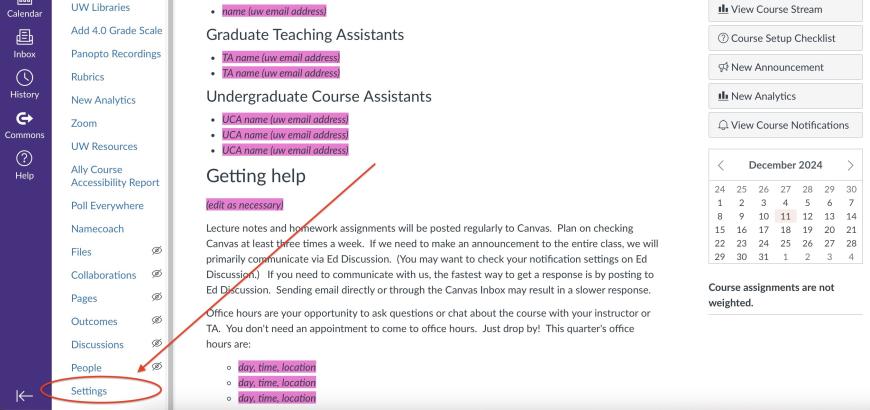
- From your Canvas course page, go to Settings.
- In Course Settings, select Share to Commons.
- On the Canvas Commons, Share Resource page:
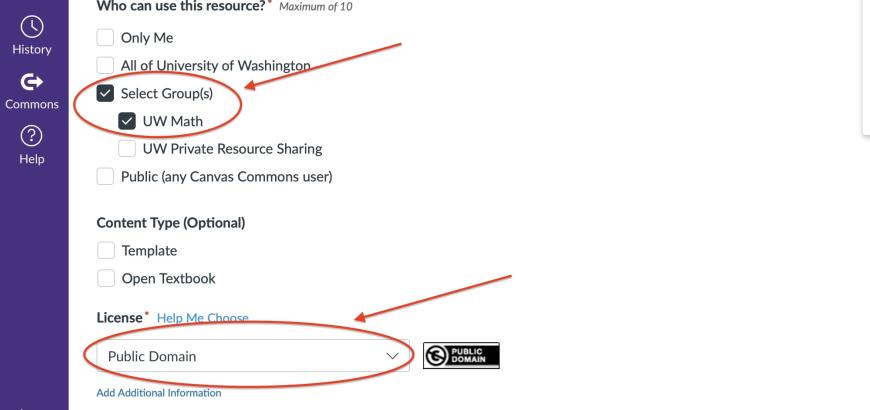
- When answering Who can use this resource? choose Select Group(s) and UW Math. (If you don't see UW Math as an option, send an email to burdzy@uw.edu to be added to the group.)
- Choose an option from the License menu.
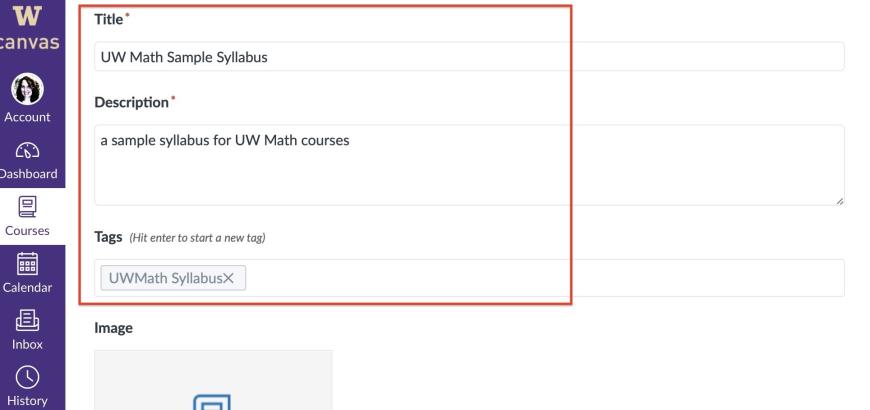
- Give your course a Title and a brief Description.
- You may add Tags to help people search for your course.
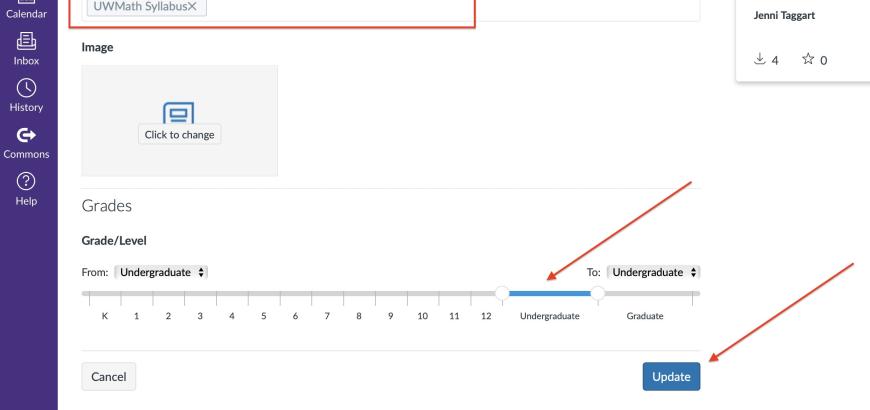
- You may choose a Grade/Level.
- Click the Update or Share button.